
Reading and handling alerts
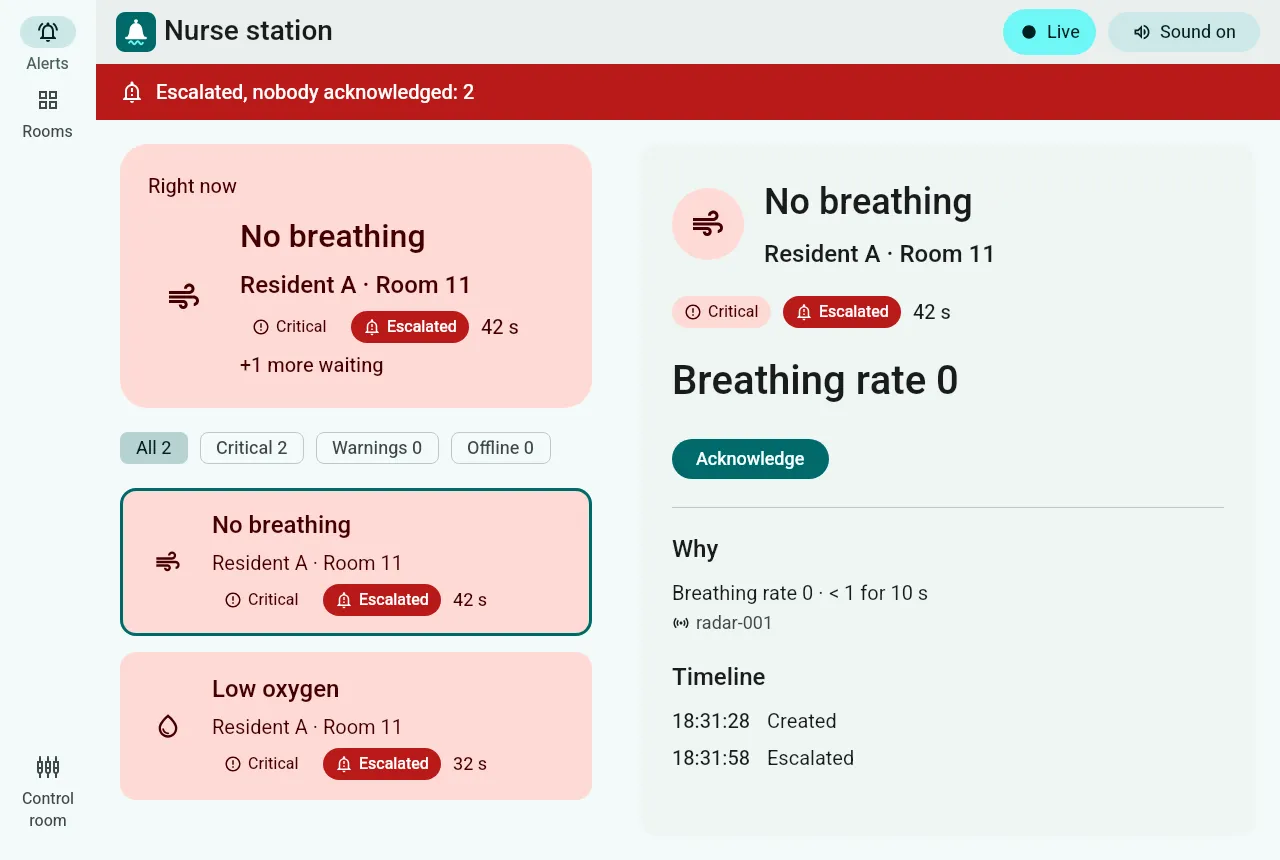
The nurse station opens on the alerts. The most urgent alert is always at the top, under Right now.
What an alert tells you
Section titled “What an alert tells you”| Part | Meaning |
|---|---|
| Title | What happened: No breathing, Low oxygen, Possible fall, Sensor offline, Check every bed… |
| Who and where | The resident and the room, or the bed when nobody lies in it, or the whole room. |
| Severity | Critical needs a person now and escalates. Warning shows on the screen only. |
| Age | How long ago it started, updated every second. |
| Escalated | A critical alert nobody acknowledged within 30 seconds. |
| Why | The exact reading and rule, e.g. Breathing rate 0 · < 1 for 10 s, and the sensor it came from. |
| Timeline | When it was created, escalated, acknowledged and resolved. |
Acknowledge, then resolve
Section titled “Acknowledge, then resolve”- Acknowledge as soon as you take ownership. This stops the escalation and the phone reminders, and tells everyone else that someone is on it.
- When the situation is handled, Resolve and say whether it was a Real event or a False alarm. Your answer is kept: it is how the rules get tuned to this ward over time.
An alert stays open after its condition stops (the alert records when it cleared), so nothing disappears before a person has looked at it.
The banners
Section titled “The banners”- Red: “Escalated, nobody acknowledged”: one or more critical alerts are waiting for a person.
- “Not live: what you see may be out of date”: the screen lost its connection to the server. The content turns grey instead of looking calm; it reconnects by itself.
- “Changes not saved”: the server cannot reach its database. Alerts still work and are saved later; settings changes are refused until it recovers.
Filters and rooms
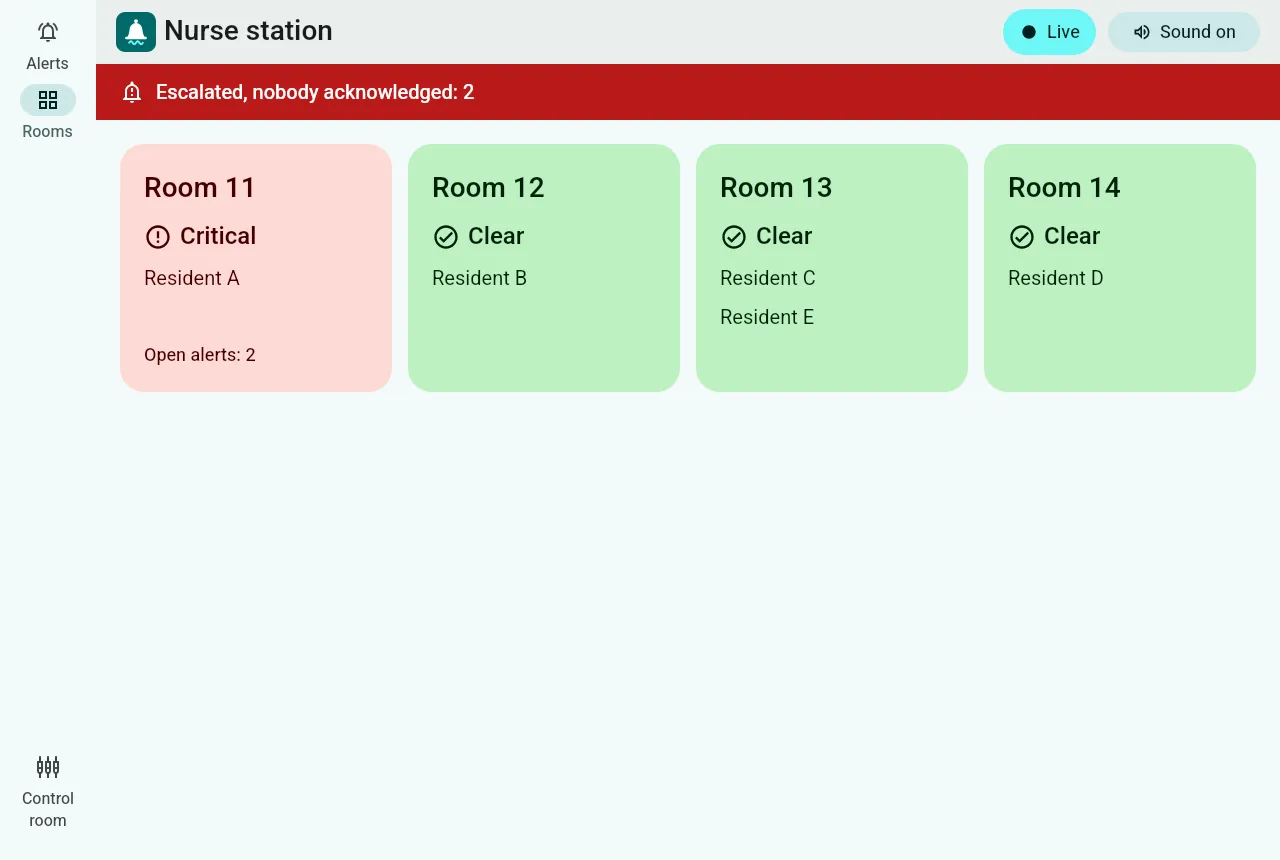
Section titled “Filters and rooms”The chips above the list filter by Critical, Warnings and Offline, with counts. Rooms shows every room at a glance, coloured by its most urgent open alert.
Sound on in the top bar plays a tone for each new critical alert. Turning it off is saved for this screen.